Appearance
Back-end
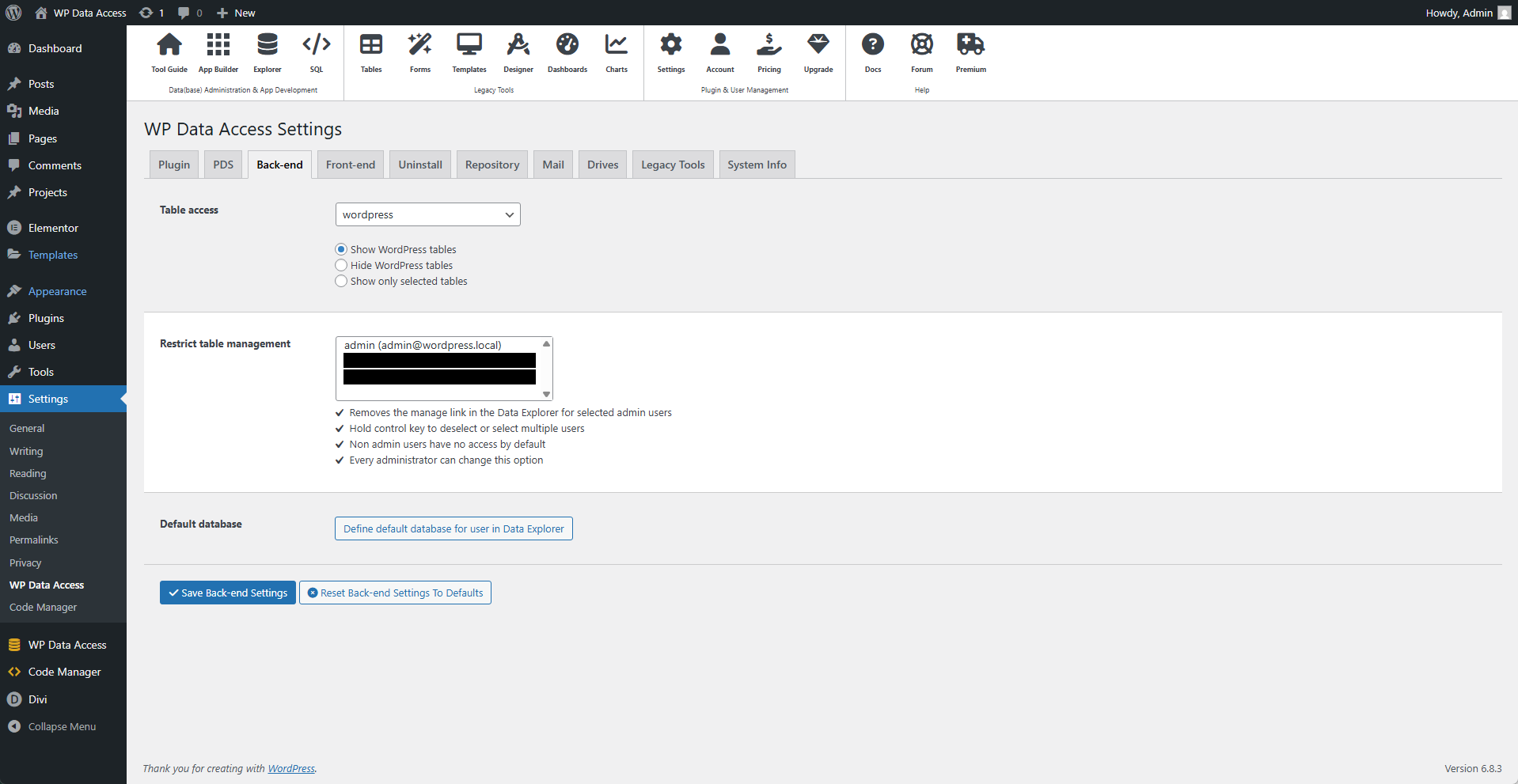
⚙️ Table Access
Use this setting to define which tables are accessible from the plugin. This can be defined per local or remote database.
📌 Show WordPress tables - The plugin has access to all tables.
📌 Hide WordPress tables - The plugin has no access to WordPress tables.
📌 Show only selected tables - The plugin has access only to the selected tables.
⚙️ Restrict Table Management
📌 Removes the "manage" link in the Data Explorer for the selected admin users.
📌 Hold the Control (Ctrl) key to deselect or select multiple users.
📌 Non-admin users have no access by default.
📌 Every administrator can change this option.
⚙️ Defaul Database
By default, the WordPress database is shown when a user opens the Data Explorer. This feature allows you to change that default. The change only applies to the currently logged-in user and does not affect others.
⚠️ This feature is only supported in the legacy tools. The new tools offer support for individual user settings.