Appearance
Back-end
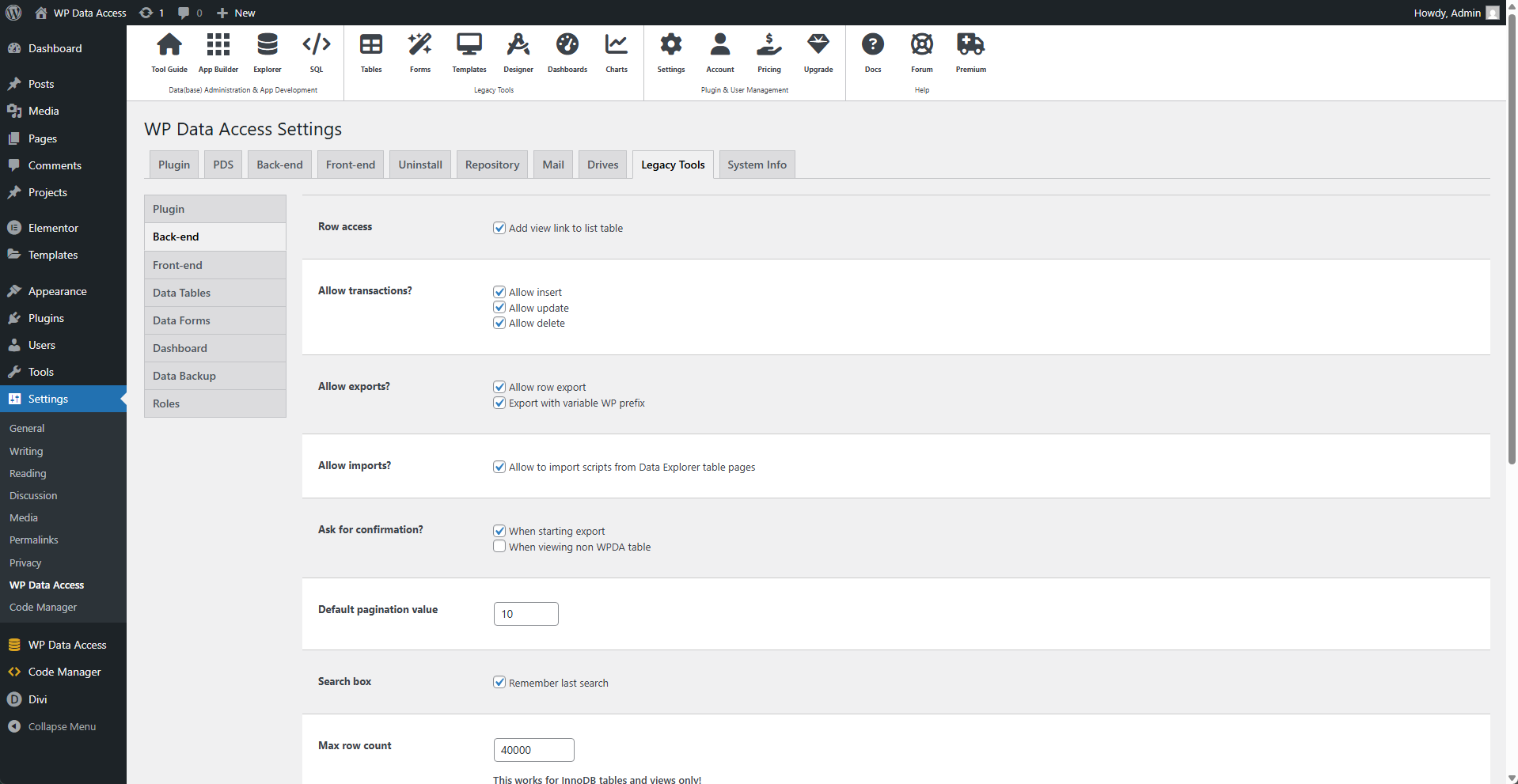
⚙️ Row Access
Enabling this option adds a view link to each table row.
📌 Missing the view link? Read about the limitations for the legacy tools...
⚙️ Allow Rransactions?
- Allow Insert - Adds an Edit link to each table row.
- Allow Update - Adds a Delete link to each table row.
- Allow Delete - Adds an Add New button button to the top of the screen.
Missing the transaction links? Read about the limitations for the legacy tools...
⚙️ Allow Exports?
- Allow row export - Adds the export feature to your Data Explorer table pages.
- Export with variable WP prefix - Substitutes your WordPress table name prefix.
📌 The export with variable WP prefix feature helps to transfer tables from one WordPress installation to another.
⚙️ Allow Imports?
Enable this checkbox to add an Import button to the top of your Data Explorer table pages. The import feature on a Data Explorer table page allows users to import data only into the selected table.
⚙️ Ask for Confirmation?
Enable these checkboxes if you want the plugin to ask for confirmation before performing the related actions.
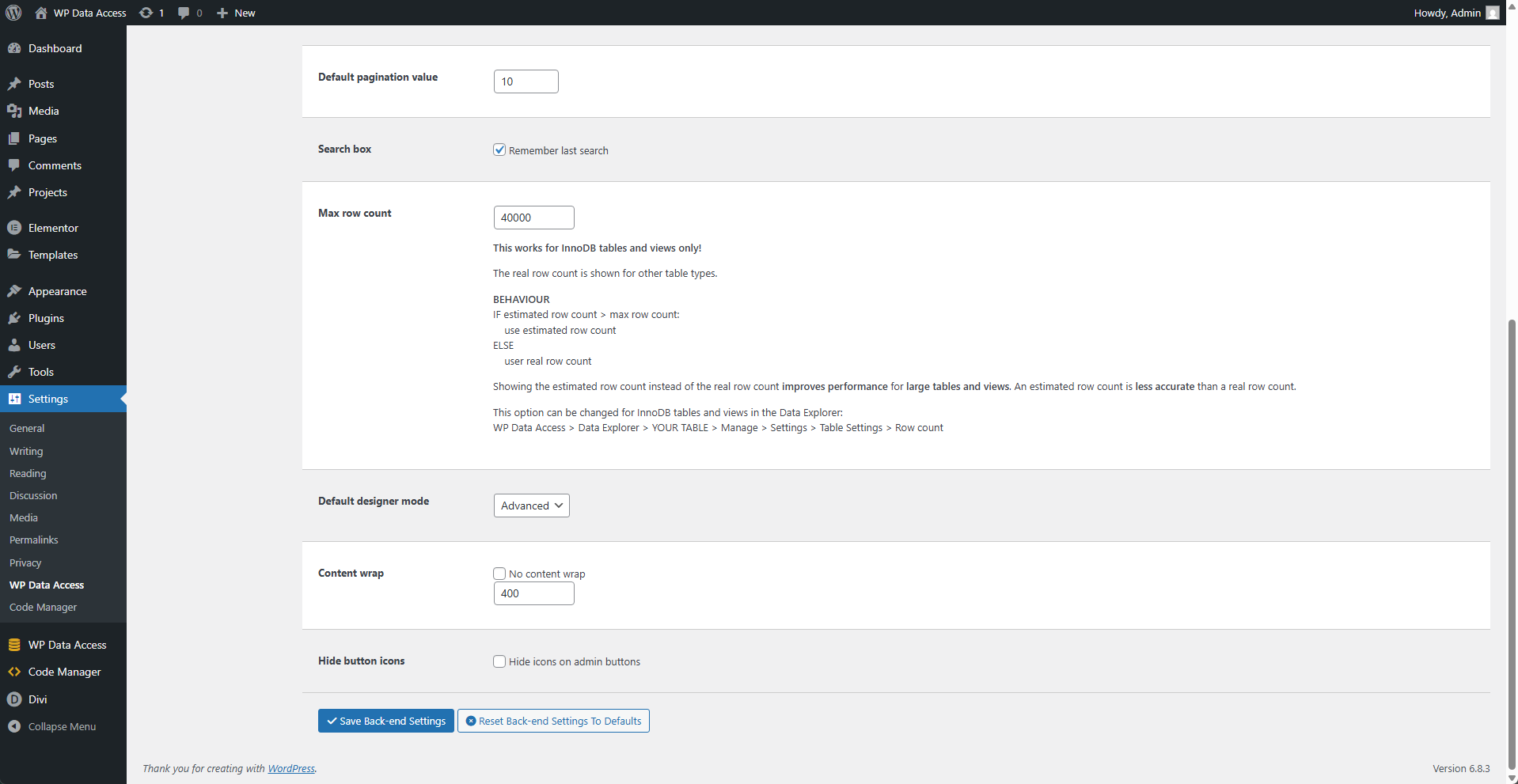
⚙️ Default Pagination Value
Sets the default pagination. This value can be overridden in the screen options section.
⚙️ Search Box
Enable this to remember the last search. The last search is saved on a per-table basis. If the user switches between tables, the plugin restores their last search. The time to live for these values is one hour. If the panel cookies setting is set to "Keep when switching panel," search values are restored after switching pages.
> Read more about panel cookies…
⚙️ Max Row Count
The Data Explorer shows the number of rows in a table (in the #Rows column). This is a rough estimate for InnoDB tables and views (including system views) if the estimated row count is higher than this parameter's value. The default value is 40,000. This setting can be changed per table/view in the Data Explorer.
⚙️ Default Designer Mode
Choose Basic if you have no experience with data modeling. Choose Advanced if you want to have more control.
⚙️ Content Wrap
Content shown in a table column will be cut after X characters, where X is the value of this parameter. The default is 400.
📌 Disable this to prevent content from being wrapped.
⚙️ Hide Button Icons
Enable this to hide icons shown on the plugin's buttons.