Appearance
Plugin
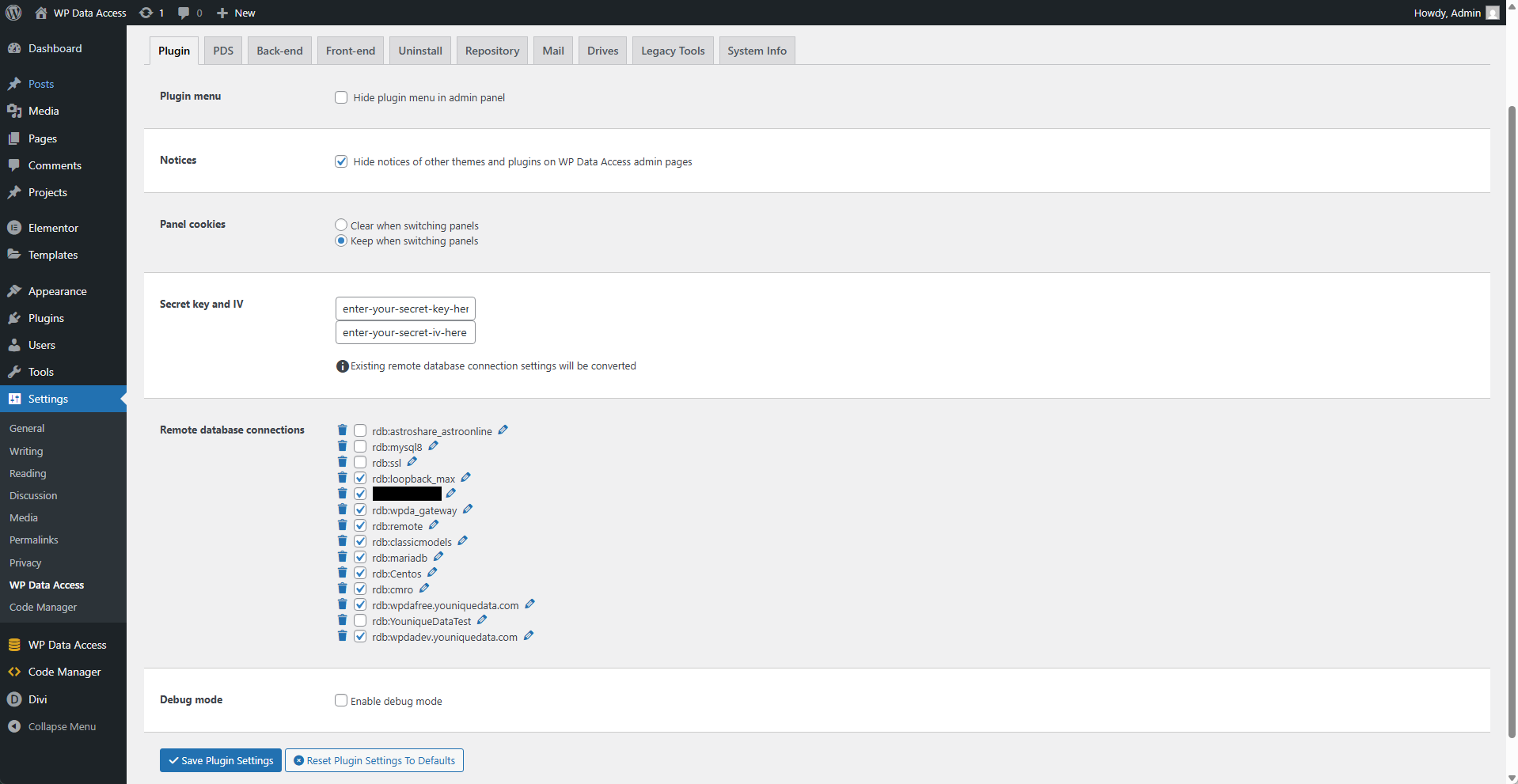
⚙️ Plugin Menu
Enable this option to hide the plugin menu in the WordPress admin panel. All plugin features will remain available.
📌 This is designed for developers who want to use WP Data Access features without using the plugin menu.
⚙️ Notices
Enable this option to hide popup notices from other themes and plugins on WP Data Access admin pages.
⚙️ Panel Cookies
Panel cookies are used to save settings, such as your currently selected database and search criteria. These cookies are cleared after one hour.
📌 Clear when switching panels - Cookies are cleared when the user navigates to another page.
📌 Keep when switching panels - Cookies are preserved when the user navigates to another page.
Secret Key and IV
Enter any passphrase to secure your remote database connection information.
📌 All current remote database connections will be updated and secured with this new key.
⚙️ Remote Database Connections
Edit or delete remote database connections here.
📌 Click the delete icon to remove a remote connection.
📌 Click the edit icon to open a popup where you can modify the remote connection settings.
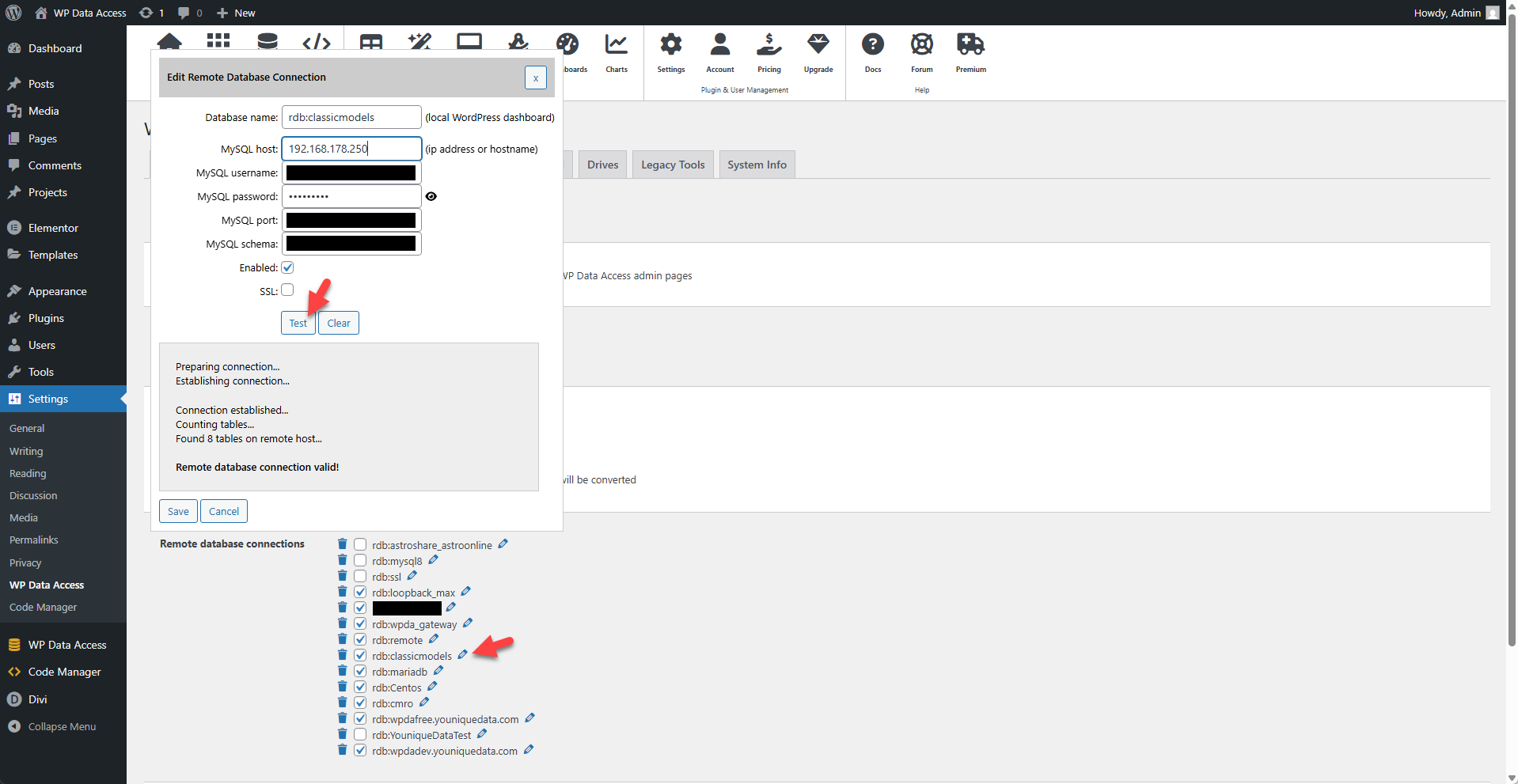
📌 Use the test button to verify the remote connection.
⚙️ Debug Mode
Enabling debug mode will:
- Add client debug messages to the browser console.
- Include query information in server responses.